1、babel
Babel is a toolchain that is mainly used to convert ECMAScript 2015+ code into a backwards compatible version of JavaScript in current and older browsers or environments.
参考
https://babeljs.io/setup#installation
1)生成package.json文件(描述项目所需要的各种模块,以及项目的配置信息—比如名称、版本、许可证等元数据)
npm init
D:\mytest\babel>npm init2)安装项目依赖
install Babel CLI locally
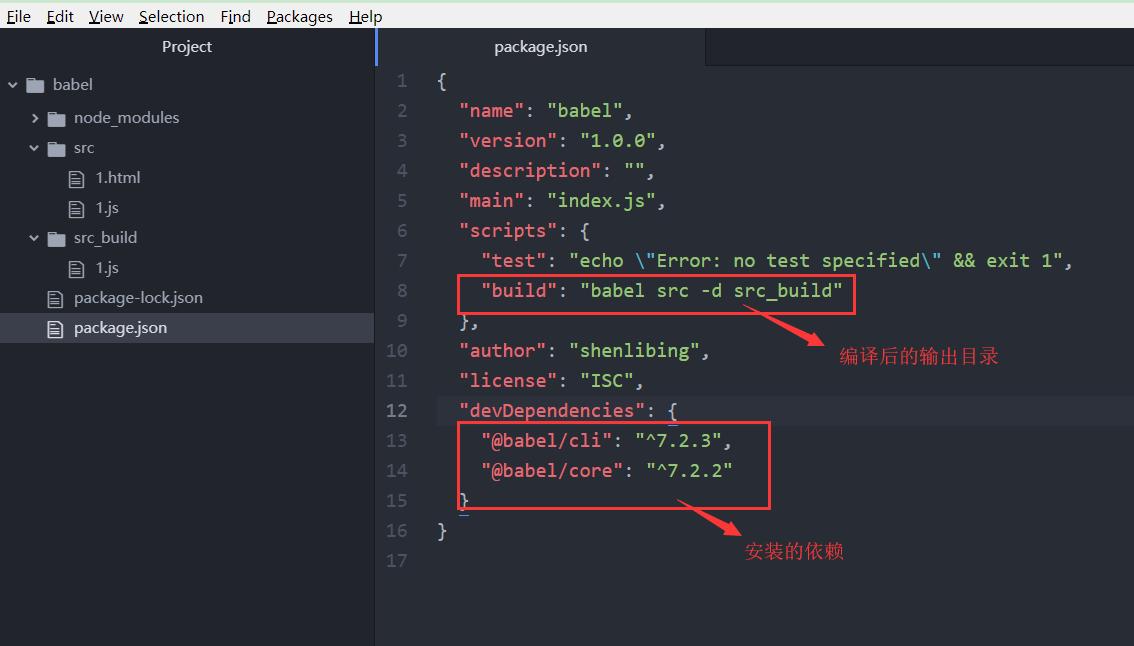
D:\mytest\babel>npm install --save-dev @babel/core @babel/cli3)添加编译运行脚本命令
"scripts": {
"test": "echo \"Error: no test specified\" && exit 1",
"build": "babel src -d src_build"
  },
结果
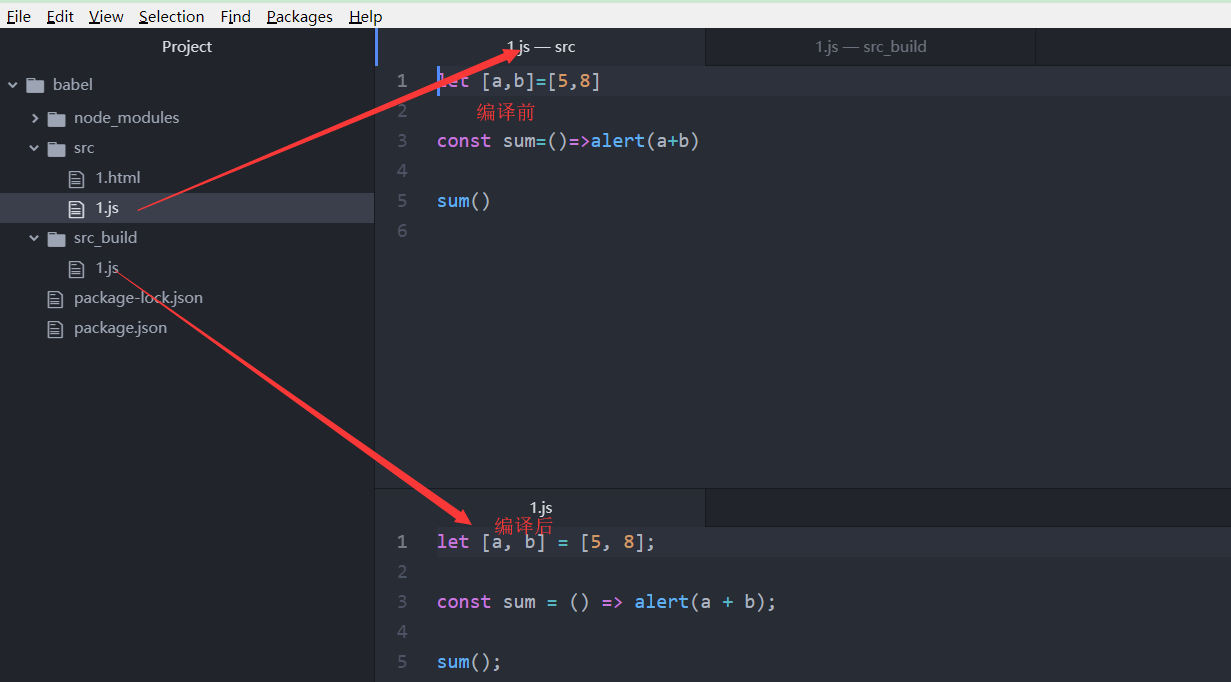
4)运行脚本命令
D:\mytest\babel>npm run build此时并没有成功的将es6的语法转成es5
5)添加.babelrc文件
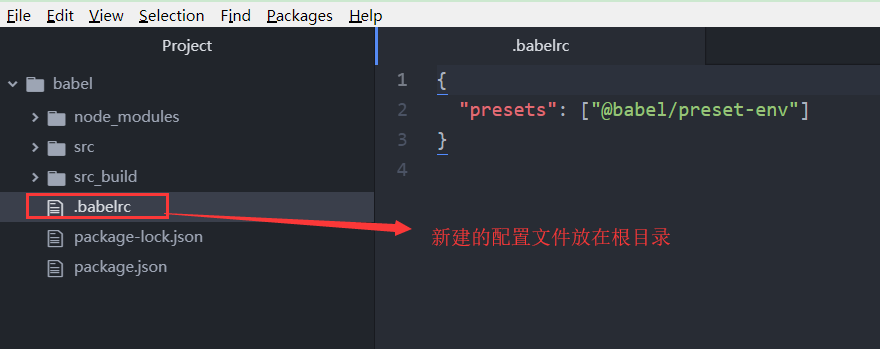
Great! You’ve configured Babel but you haven’t made it actually do anything. Create a .babelrc config in your project root and enable some plugins.
To start, you can use the env preset, which enables transforms for ES2015+
D:\mytest\babel>npm install @babel/preset-env --save-dev结果
6)重新运行脚本命令
D:\mytest\babel>npm run build.png)
7)使用编译后的js
<!DOCTYPE html>
<html lang="en" dir="ltr">

<head>
  <meta charset="utf-8">
  <title></title>
</head>

<body>

  <script type="text/javascript" src='../src_build/1.js'>
  </script>
</body>

</html>
babel官网参考手册